Wayfinding Signage for Events: Using Digital Screens to Guide Attendees
Every convention has a moment when a delegate stops a staff member and asks, "Where do I go?" Multiply that by a few hundred people, three floors and a room change at 10 AM, and your registration crew turns into a help desk. Good wayfinding signage for events fixes that. Our rule is simple: put a screen wherever an attendee would otherwise have to ask. Everything else can stay printed.
Quick answer: Use printed signs for routes that never change, like restrooms, exits and hall names. Use digital screens at decision points where information changes: lobbies, registration exits, escalator landings, session doors and exhibit hall entrances. Plan who updates the content on the day before you plan how many screens you need.
Table of Contents
What is wayfinding signage?
Wayfinding signage is everything that helps people find their way through a space without asking. At an event, that means arrows, maps, room names, schedules and "you are here" markers, placed where people actually make a choice about which way to walk.
The venue already has some of it built in. Your job as the organizer is to add the layer that's specific to your program: which hall is plenary, which floor has the breakouts, where lunch is, and what's happening right now.
Static vs digital wayfinding signage for events
We get asked this a lot, usually by someone hoping screens can replace every printed sign. They can't, and they shouldn't. Here's how we split the job:
| Information | Changes during the event? | Best format |
|---|---|---|
| Restrooms, exits, elevators | Never | Printed or the venue's own signs |
| Hall and floor names | Rarely | Printed standees |
| Session room assignments | Often | Screen outside each room |
| "Now happening" and next session | All day | Screen at decision points |
| Schedule changes and speaker swaps | Without warning | Screen, updated on the day |
| Exhibit hall map and sponsor messages | Sometimes | LED Poster at the hall entrance |
Printed signs are cheap, reliable and don't need power. But a tarp can't tell anyone that the 2 PM session moved to Room B. That's where digital wayfinding signage earns its place. If you're weighing options, our LED Poster rental page covers the screens we bring to venues.
The mistake we see most is the opposite one: a printed program on a stand that was already wrong by the first coffee break. If information can change, don't print it big.
Walk the attendee journey, one decision point at a time
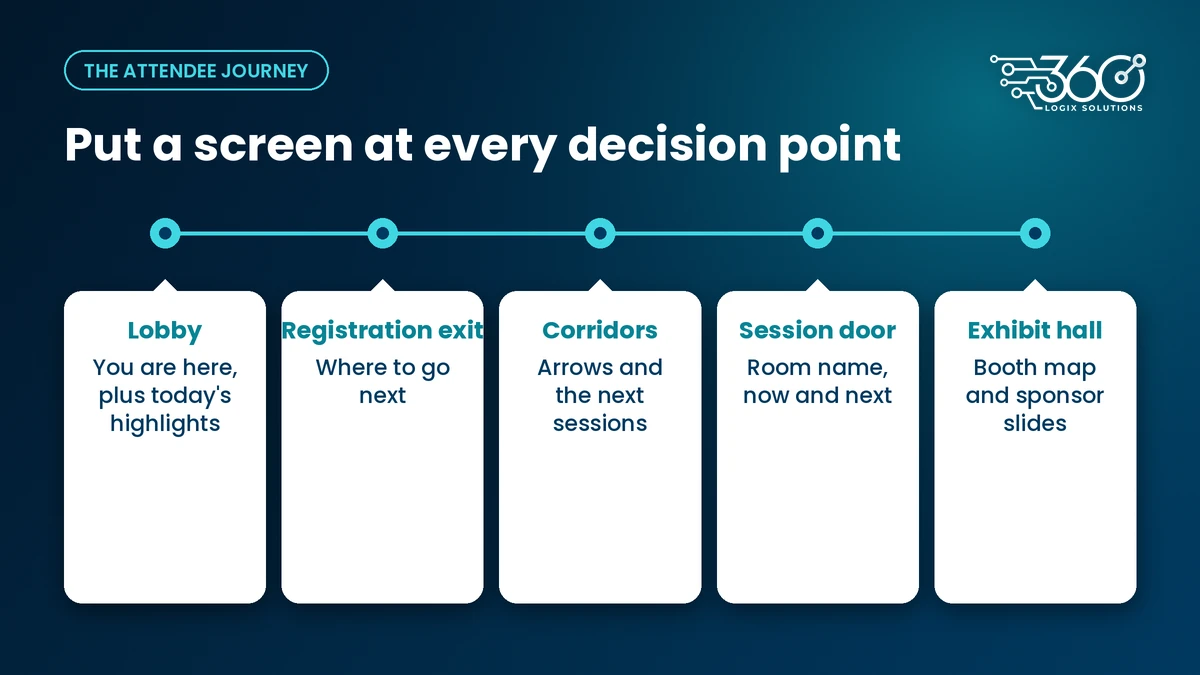
The best way to plan directional signage for events is to walk the route yourself, from the drop-off to the farthest breakout room, and note every spot where you'd hesitate. That list becomes your screen plan. If you're still working out the count and sizes, start with our guide to sizing how many screens you need.
Drop-off and lobby
People arrive from Metro Manila traffic already a little stressed. The first screen they see should say two things: you're in the right place, and here's what's on today. A "you are here" map plus the day's highlights works well. Keep it calm. This isn't the place for a busy sponsor reel.
Registration exit
This one gets missed all the time. A delegate has just collected a badge and kit, and now they're standing still in the busiest part of the venue, blocking the line behind them. A screen right after the desk that says where to go next (plenary hall, breakouts, coffee) keeps people moving. It also takes pressure off your registration staff.
Escalators and corridors
Every fork, landing and corridor junction is a decision point. In a large convention venue with multiple halls, or a hotel with breakout rooms on different floors, these are the spots where people get lost. A screen with arrows and the next few sessions does more here than anywhere else.
Outside each session room
A Vision 22" display at each door, showing the room name, the current session and what's next, answers the most common question at any convention: "Is this the right room?" When a speaker swaps slots, the door screen changes, and nobody walks into the wrong talk.
Exhibit hall
The exhibit hall needs a map more than anything. An LED Poster at the entrance can carry the booth layout and rotate in sponsor messages between map views. If you're selling sponsor visibility, our post on LED Poster sponsor rotation ideas has a few ways to package it.
Who updates the screens on the day, and how fast?
With wayfinding signage for events, a screen with old information is worse than no screen. It actively sends people the wrong way. So before you decide on units, decide on ownership.
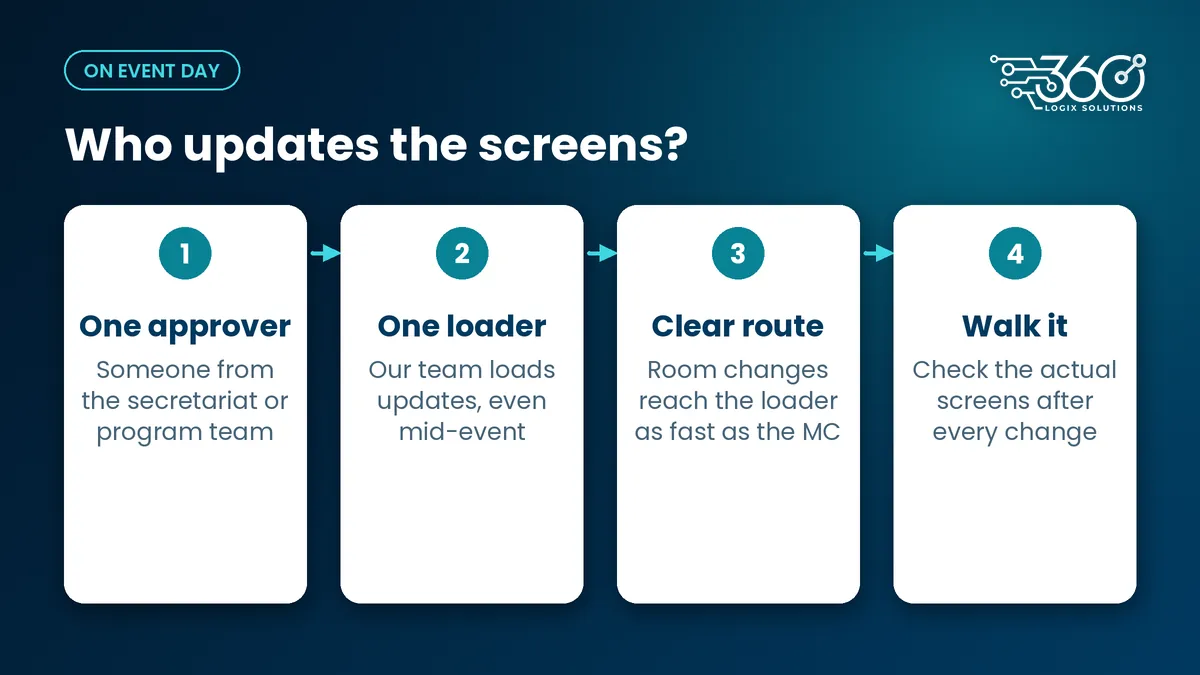
Here's what we ask every organizer to settle before event day:
- One person approves changes. Usually someone from the secretariat or program team. Not a group chat.
- One person loads them. Our technician can load updates on the day, so content on the LED Posters can change any time, even mid-event.
- A clear request route. Room changes should reach the person loading content as fast as they reach the MC.
- Templates ready the night before. Room schedules and "now happening" slides built as editable templates, so a change is a text edit, not a redesign.
- A walk after every change. Someone checks the actual screens, not just the file.
How quickly a change goes live depends on your setup and venue, so we'll talk it through against your floor plan rather than promise a number here.
How to design wayfinding signage people can read
Digital signage for conferences fails for one boring reason more than any other: people can't read it while walking. A few rules we stick to:
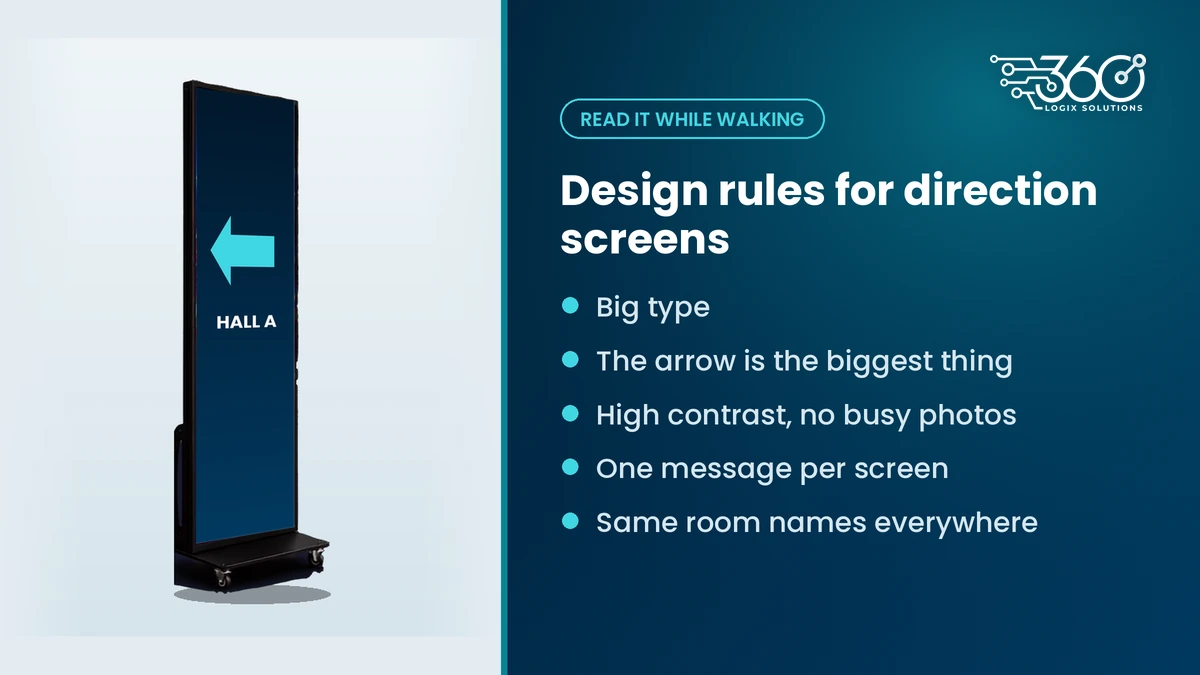
- Big type. If you have to stop to read it, it's too small.
- Arrows first. The arrow should be the biggest thing on a directional screen.
- High contrast. Light text on a dark background, or the reverse. No text over busy photos.
- One message per screen. A door screen says what's in this room. A corridor screen says which way to go. Don't combine them.
- Same names everywhere. If the program says "Hall A," every screen says "Hall A," not "Plenary" on one and "Main Hall" on another.
- Short loops. If a screen rotates, the wayfinding slide should come back often enough that nobody waits for it.
Run these past whoever is designing your content. If you don't have a designer, we can help build the templates.
A quick wayfinding checklist before the event
- Walk the full route from drop-off to the farthest room
- Mark every decision point on the floor plan
- Decide static or screen for each spot, using the table above
- Confirm a power outlet near every screen location
- Name one approver and one content loader for the day
- Build room and "now happening" templates before the night before
- Check every screen in place during setup, with the real content
FAQ
Where should directional signs go at a convention?
At every point where an attendee has to choose a direction: the lobby, right after registration, escalator landings, corridor junctions, session doors and the exhibit hall entrance. Walk the route yourself and note where you'd hesitate. Those spots get signs first, and the ones where information changes get screens.
Can screens show room changes in real time?
Yes, as long as someone owns the update. Content on LED Posters and displays can be changed during the event. The bottleneck is usually people, not technology: the room change has to reach whoever loads content quickly, and someone should check the screens afterwards.
Do we still need printed signs?
Yes. Restrooms, exits, hall names and anything that won't change all day are better printed. They're cheap and don't need power. Save screens for the information that moves: schedules, room assignments, "now happening" boards and maps with sponsor content.
How many screens do we need for wayfinding?
Count decision points, not square meters. A single-hall seminar may need only a lobby screen and one at the registration exit. A multi-floor convention needs more, especially at session doors and escalators. Send us your floor plan and we'll suggest the smallest setup that covers the key spots.
Want a second pair of eyes on your floor plan?
We've been running event tech for 15+ years, and wayfinding is one of the first things we look at on a venue walk. Map your venue's screens with us and bring your floor plan and program. We'll tell you where a screen will actually help and where a printed sign does the job.
Related Articles
Event Technology Trends 2026: What Philippine Organizers Are Watching
Event technology trends 2026 for Philippine organizers: careful budgets, hybrid for government audiences, proving results with data, and modest AI.
Event Setup Checklist: What Happens the Night Before an Event
Our event setup checklist for the night before: load-in, power, screen content, sound, a registration dry run and backups, as a routine you can copy.
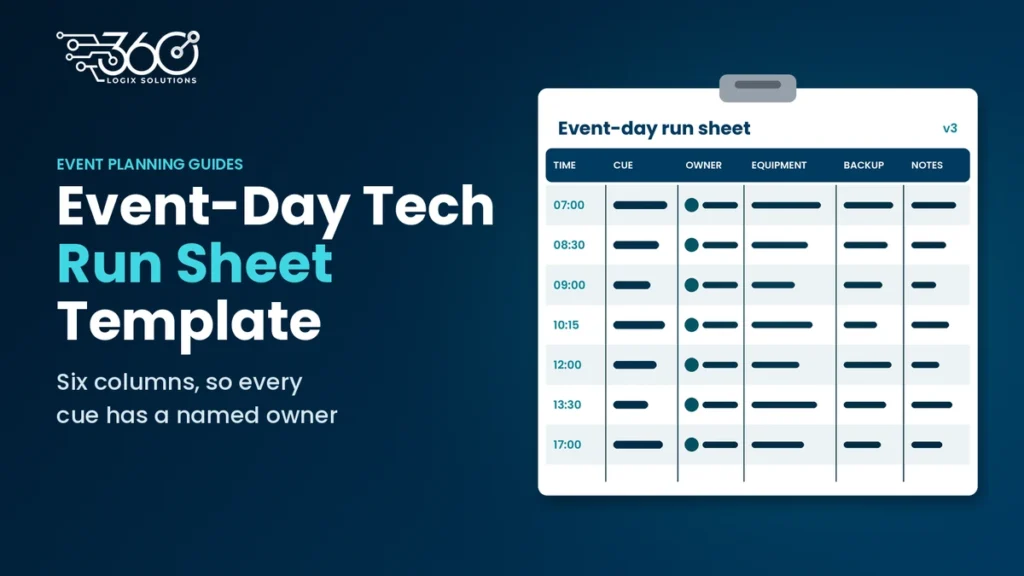
Event Run Sheet Template: Your Event-Day Tech Run Sheet
Copy our event run sheet template for event-day tech: time, cue, owner, equipment, backup and notes, plus a filled seminar example and tips for using it.