5 Ways to Use a Digital Standee for Events with an Interactive Touchscreen Kiosk
The screen guests actually read is the one at eye level by the door, not the one behind the stage. A digital standee for events earns its keep when it sits where people pause (entrance, registration, coffee) and shows one clear job at a time. Below are five display uses for an Interactive Touchscreen Kiosk that work at conferences, AGMs and year-end parties.
Quick answer: Use a floor-standing 55 inch kiosk display for welcome messages, live programs, sponsor loops, photo slideshows and raffle countdowns. Place it at eye level near power, keep slides short and portrait-friendly, and rent an Interactive Touchscreen Kiosk when you need rates and availability.
Table of Contents
What is a digital standee?
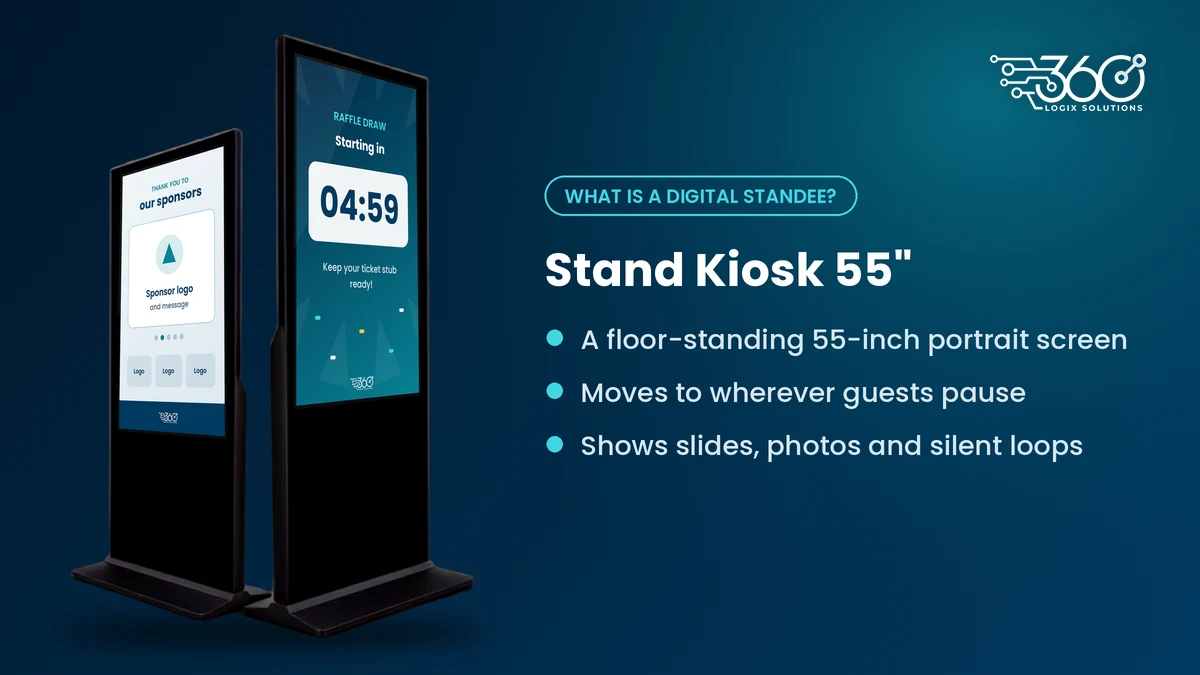
A digital standee is a floor-standing 55-inch portrait screen you can move around a venue. It works as a digital signage kiosk for lobbies and registration lines: tall enough to read at a glance, freestanding, and easy to reposition. At 360 Logix, that unit is the Interactive Touchscreen Kiosk.
5 ways to use a digital standee for events
These five jobs fit a display-only kiosk for events. Pick the one that matches where guests actually stop.
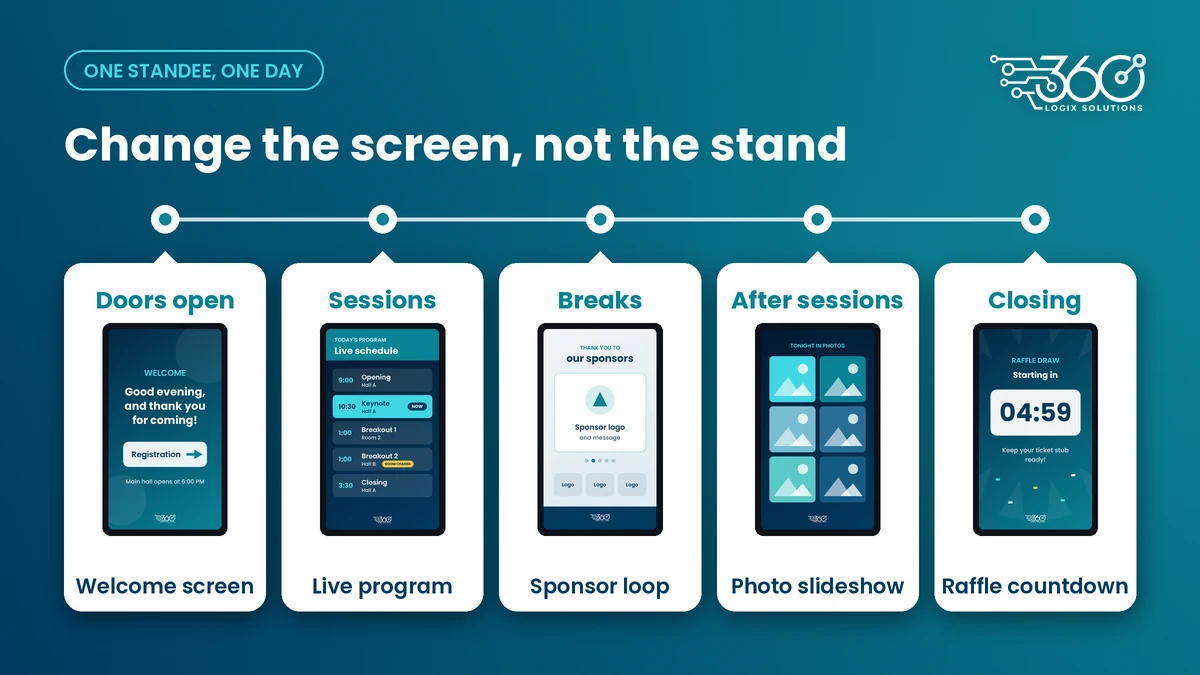
1. Welcome screen at the entrance
Put the Interactive Touchscreen Kiosk by the main door or just past bag check. Show the event name, today's date, a short "welcome" line and, if useful, where registration starts. Guests look for confirmation that they're in the right place. A clean welcome beats a busy agenda on that first screen. Keep logos big and copy short. One message per slide.
2. Live program with room changes
Once people are inside, the same unit (or a second one near the foyer) becomes the day's program board. List the morning sessions, lunch window and afternoon blocks. When a room moves, update that slide instead of reprinting boards. Put the change in large type at the top so late arrivals catch it without asking staff. This is the use case that saves the most hallway questions.
3. Sponsor loop near coffee or the booth area
Coffee lines and exhibitor aisles are longer dwells. Run a short rotation of sponsor slides or silent brand clips on the Interactive Touchscreen Kiosk. Full-screen beats a skinny strip. If you need a slimmer stand for the same job in a tight booth lane, LED Posters for sponsor loops do that well on a narrower footprint. Either way, keep audio off so the loop doesn't fight the room mic.
4. Photo slideshow
After sessions or during cocktail hour, switch the standee to a photo loop from the day: stage shots, networking candids, award moments. Guests linger and often take their own pictures of the screen. Keep the event brand dominant and avoid crowding the frame with text. A photo slideshow turns a dead corner into a social stop without needing a photo app.
5. Raffle or countdown
Near the end of the program, use the kiosk as a raffle board or countdown clock. Show the prize categories, the draw order or a simple timer before the next segment. People watch the stage for the host, but they check the screen for "am I still in?" and "how long until the draw?" Keep the type huge. Update between draws so the board stays the source of truth.
Where to place a 55-inch kiosk (and where not to)
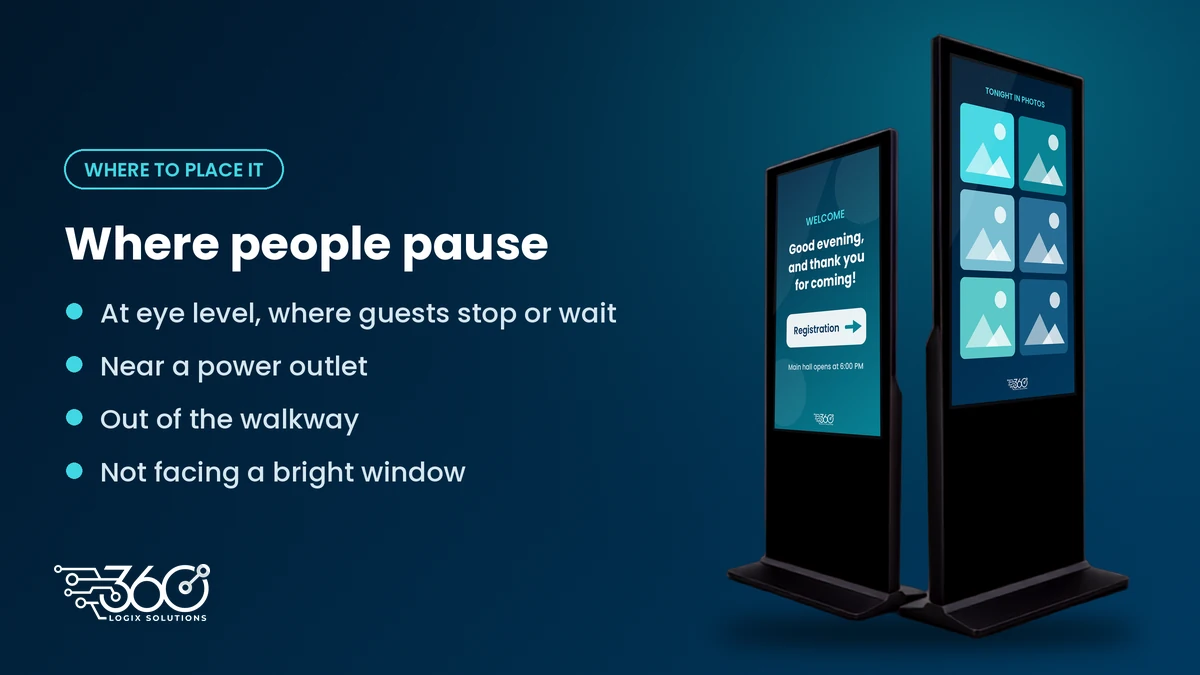
Eye level at the entrance or beside registration works best. Sit the unit near a power outlet so you are not running a cable across a walkway. Keep it out of the main foot traffic path and off the direct glare of a bright window. Do not hide it behind the stage or behind a registration banner. If guests have to turn around to see it, they won't.
One kiosk per decision point or waiting area is usually enough. Two units (door plus foyer) cover most mid-size events. For larger floors, map the pause points first, then decide how many 55 inch kiosk display units you need.
Content tips for a portrait screen
Portrait screens punish long paragraphs. One idea per slide. Big type. Short loops so a waiting guest sees the full rotation before they move on. Prefer stills or short silent video. Confirm file formats with the tech team before load-in day. If you need help building the loop, we can design loops for portrait screens so aspect ratio and timing match the Interactive Touchscreen Kiosk.
Avoid stuffing a whole program booklet onto one slide. Split by morning and afternoon, or by room. Guests read in seconds, not minutes.
How much does a digital standee cost to rent?
Rates for the Interactive Touchscreen Kiosk are listed on our equipment rentals page (linked above). If you are comparing screens for a conference floor plan, start there rather than guessing from a generic package.
For broader event technology alongside kiosks (registration, apps, hybrid), that page outlines how the pieces fit together.
FAQ
What size is a digital standee?
The Interactive Touchscreen Kiosk we rent is a 55-inch portrait unit. That size reads clearly at lobby and registration distances without needing a wall mount.
Can I show videos on a digital standee?
Yes. Short silent loops work best. Confirm formats and aspect ratio with our team so the file plays cleanly on the kiosk for events you book.
Is a digital standee the same as an LED Poster?
Both are floor-standing displays. The Interactive Touchscreen Kiosk is a 55-inch screen on a stand. An LED Poster is a slimmer LED screen on a narrower footprint. Pick based on space and how close guests stand.
How many digital standees do I need?
Start with one at the entrance or registration, then add one for the foyer or coffee area if those spots get crowded. One unit per decision point or waiting area is the practical rule.
Plan your screens with us
We've supported events for 15+ years,. If you want a clear plan for where a digital standee sits and what it should show, plan your screens with us. Bring the date, venue and a rough guest count. We'll tell you what one Interactive Touchscreen Kiosk can cover, and when you need a second unit or an LED Poster instead.
Related Articles
The Debrief Questions We Ask After Every Event (and What October Taught Us)
The event debrief questions we ask after every event, the process lessons October taught us, and what to plan for before November and December get busy.
Interactive Games for Brand Activation: How They Work
How interactive games for brand activation work at booths and malls: the game picker, 30 to 60 second play, prize logic, consent-based lead capture and setup.
Post-Event Survey Questions: Collecting Attendee Feedback People Actually Fill Out
Three to five post-event survey questions, asked at the right moment, beat a 30-question form. Timing, a question bank, and how to raise response rates.